Advertiser | Billing
Billing (/advertiser/billing) manages your advertiser wallet and transaction history on TG.app.
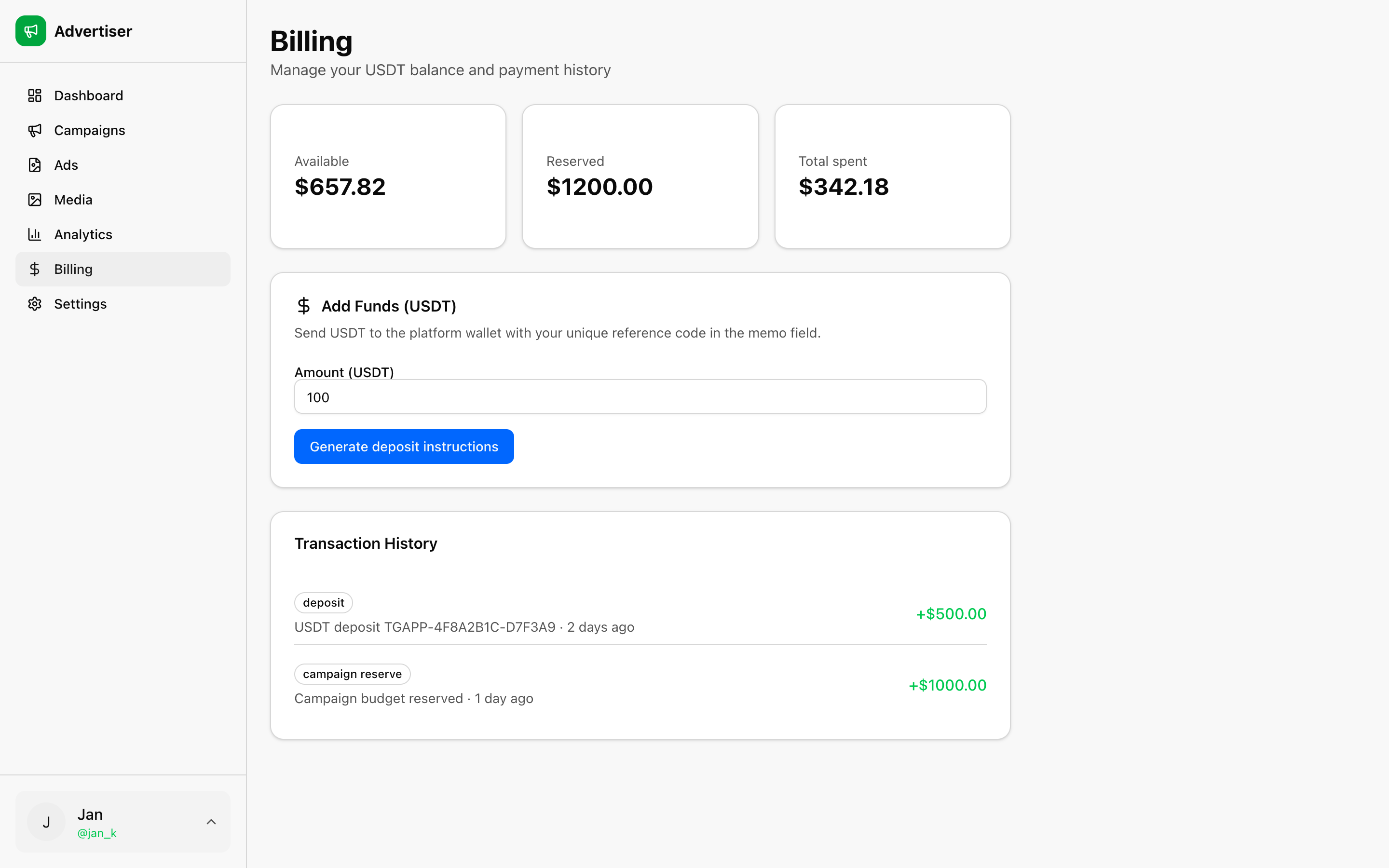
Balance
| Field | Meaning |
|---|---|
| Available | Funds ready for new campaign submissions |
| Reserved | Budget locked for submitted or active campaigns |
| Total spent | Cumulative spend from synced reports |
Adding funds
Top up through the unified checkout on the Billing page:
| Method | Notes |
|---|---|
| Telegram Stars | Pay inside Telegram |
| TON | On-chain transfer via integrated checkout |
| USDT (TRC20) | Manual transfer with reference code in memo |
- Choose amount (minimum shown on the page and in Products & pricing).
- Pick Stars, TON, or USDT.
- Complete checkout or follow deposit instructions for USDT.
- Balance updates after confirmation.
Each advertiser account has a unique tag (TGAPP-XXXXXXXX) used in USDT deposit memos.
Campaign billing
When you submit a campaign:
- Full gross budget is reserved from available balance
- A platform fee is applied before delivery (see the amount on the campaign form)
- The remaining budget is allocated to ad delivery
Spend is reconciled when you Refresh campaigns or use Sync now on Analytics.