
Tonkeeper Review (2026): The Best TON Wallet | Just Use the Mobile App
Tonkeeper is the gold standard for self-custody on TON. But there's a split personality between its Telegram Mini App and its standalone mobile app, and that gap matters more than you'd expect.
Tonkeeper is the gold standard for self-custody on TON. But there's a split personality between its Telegram Mini App and its standalone mobile app, and that gap matters more than you'd expect.
Type: Non-custodial
Platforms: Telegram Mini App + Android + iOS
Network: TON only
Verified: Yes
Link: tg.app/apps/tonkeeper/
Ratings
| Category | Score |
|---|---|
| Ease of use | 7/10 |
| Security | 8/10 |
| Mini App compatibility | 5/10 |
| Features & assets | 5/10 |
| Privacy | 8/10 |
| Overall | 6.6/10 |
Setup & Onboarding
Tonkeeper is available both as a Telegram Mini App and as a standalone app on Android and iOS, and both were tested for this review. Setup is quick: the standard 24-word seed phrase backup flow followed by naming your account. The whole process takes just a few minutes.
This is where Tonkeeper immediately separates itself from @Wallet. There's no KYC, no personal data collection, no phone number demand. You write down your seed, and you're in control.
⚠️ Mobile annoyance: On the mobile app, you can't copy or screenshot the 24-word seed phrase, a security measure, but a frustrating one. For a wallet likely to hold only small amounts on mobile, this feels over-engineered. Most serious users keep the bulk of funds elsewhere.
On-ramp options are solid: Mercuryo handles bank cards, Apple Pay, Google Pay, and SEPA transfers up to 700 USD without requiring KYC. MoonPay is available in additional jurisdictions depending on your country setting. The P2P buying feature is advertised in the mobile app but proved difficult to actually access in practice.
Mini App vs. Mobile App: A Tale of Two Wallets
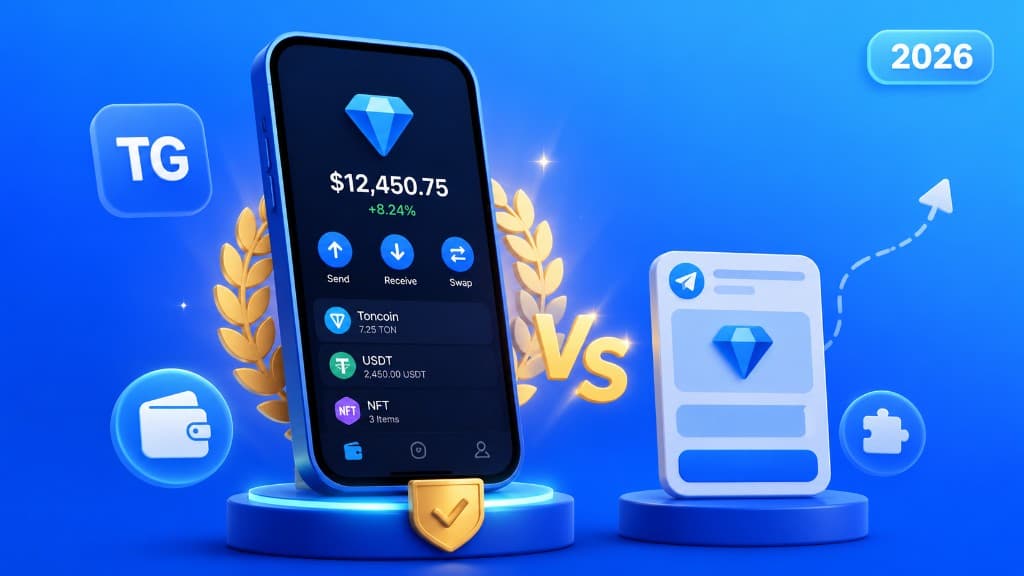
This is the defining story of Tonkeeper in 2026. The Mini App and the mobile app are so different in capability that they almost feel like separate products.
| Feature | Mini App | Mobile App |
|---|---|---|
| Send / receive TON | ✅ | ✅ |
| Swap TON assets | ✅ | ✅ via STON.fi |
| Multiple accounts | ✅ | ✅ |
| NFT / collectibles | ❌ | ✅ |
| Staking | ❌ | ✅ |
| xStocks, memecoins, stablecoins | ❌ | ✅ via Trade view |
| In-app browser | ⚠️ Links only (opens device browser) | ✅ Full URL browsing |
| External app connectivity | ❌ Deep-link bug (fragment.com broken) | ✅ Reliable |
🔴 Critical connectivity bug: Connecting the Tonkeeper Mini App to external services like fragment.com triggers the new wallet onboarding flow instead of connecting your existing wallet. This deep-linking failure makes the Mini App version effectively unusable for interacting with the broader TON ecosystem.
Assets & Network Support
Tonkeeper is a TON-native wallet, it does not support Bitcoin, Ethereum, Solana, or other chains. This is its biggest limitation compared to @Wallet. What it does support, it does thoroughly: TON, Jettons (TON-issued tokens), stablecoins, xStocks, memecoins, and NFTs issued on TON, but only in the mobile app.
The mobile Trade view powered by STON.fi provides a clean interface for exploring and swapping the full range of TON assets. For users who live within the TON ecosystem, this is sufficient. For anyone holding multi-chain portfolios, Tonkeeper alone won't cut it.
Security & Privacy
This is where Tonkeeper earns its reputation. Non-custodial from the start, standard 24-word seed phrase, no mandatory personal data collection, no KYC wall blocking basic functionality. The privacy score of 8/10 reflects what a crypto wallet should look like by default.
✅ No name, no date of birth, no phone number, no government ID required, just a seed phrase. That's how it should be.
The wallet also supports multiple accounts from a single install, which is useful for separating funds or testing without the privacy risk of address reuse.
Pros & Cons
Pros
- Truly non-custodial from day one
- No KYC for basic use
- Clean, well-designed interface
- Multiple account support
- On-ramp up to $700 without KYC
- Full-featured mobile app with browser
- Staking, NFTs, xStocks in mobile app
Cons
- TON network only, no multi-chain
- Mini App has deep-link connectivity bug
- Major feature gap: Mini App vs mobile
- Can't copy seed phrase on mobile
- P2P buying hard to find in practice
- "Browser" in Mini App is just a link list
📱 Recommendation: Skip the Telegram Mini App version. Install the Android or iOS app for the full Tonkeeper experience.
Verdict
Tonkeeper is the right choice for anyone who wants genuine ownership of their TON assets without handing over personal data. The mobile app is polished, reliable, and full-featured. But the Telegram Mini App version is a step behind, the deep-link bug alone is disqualifying for power users who need to connect to the wider TON ecosystem. If you're a privacy-conscious TON user willing to use a standalone app, Tonkeeper is your best option. If you live primarily inside Telegram Mini Apps, @Wallet will serve you better day-to-day.
Reviewed on tg.app · June 2026
Be the first to react
Comments
No comments yet. Be the first to share your thoughts!